PPT Productivity
Review of PPT Productivity Software: system overview, features, price and cost information. Get free demos and compare to similar programs.
Overview
About PPT Productivity
PPT Productivity Screenshots
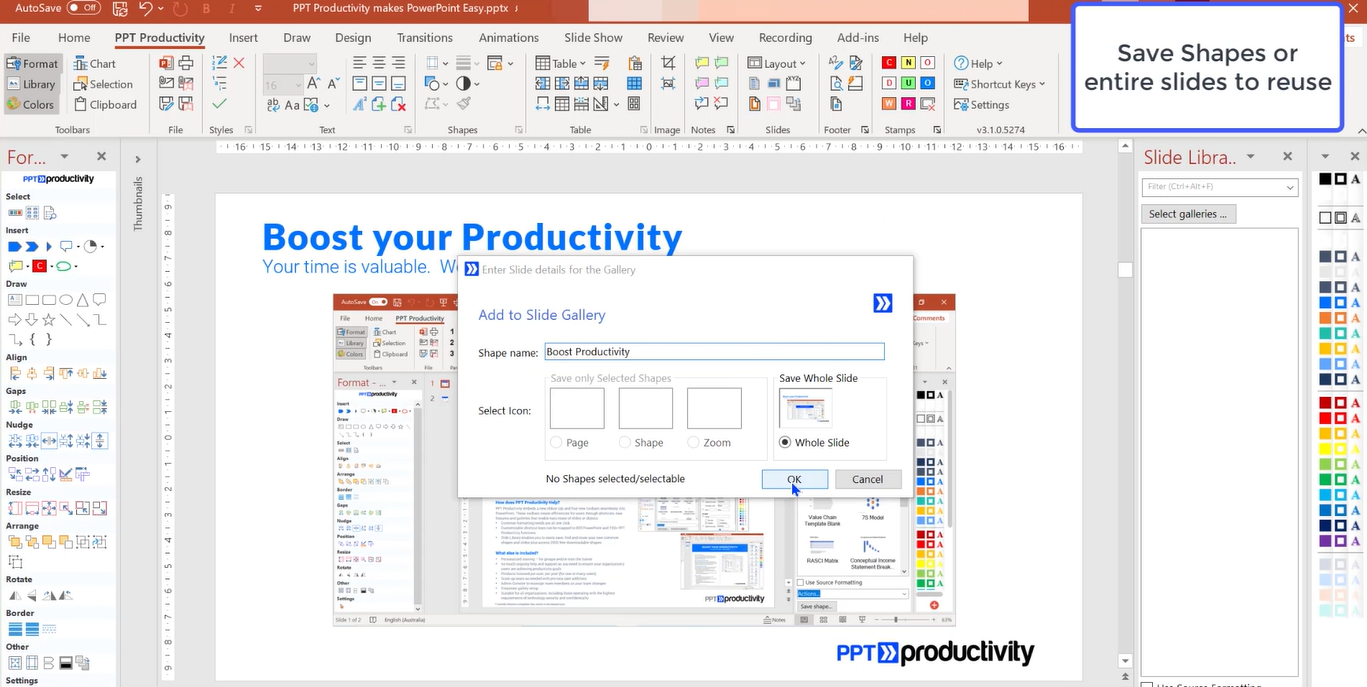
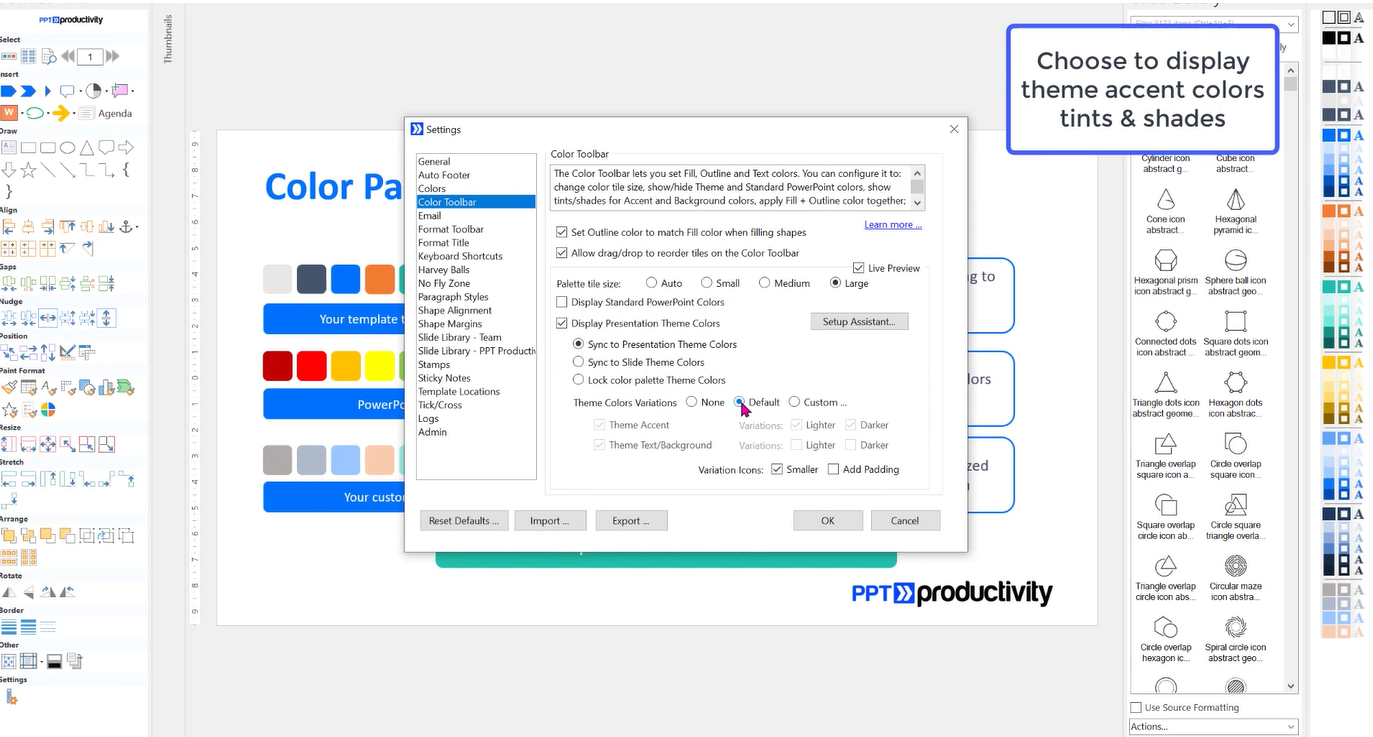
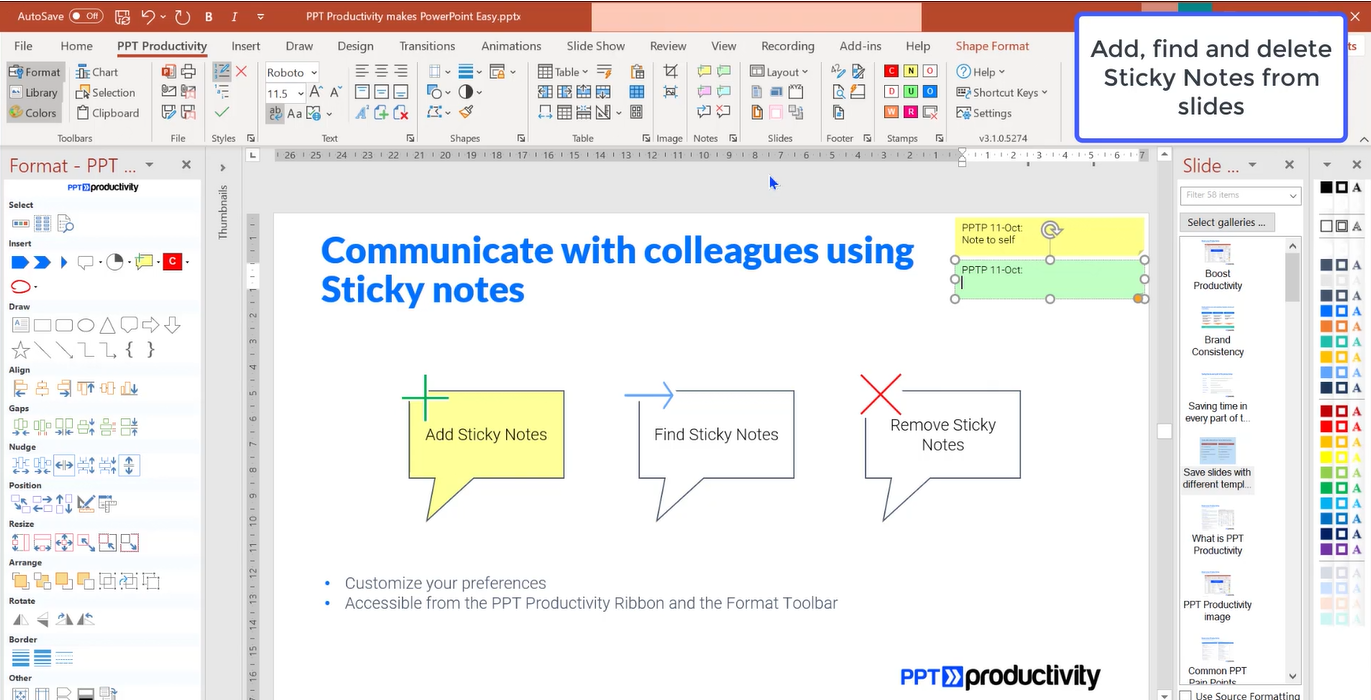
PPT Productivity Features
Customer Reviews
See why people love PPT Productivity
Ben C.
Verified UserEducation Management · 51-200 employees
Awesome Add-In for Education Professionals
I just love it.
- The quick access tools and user-determined library of content triple the speed at which I can create lessons in Powerpoint
- Everything is intuitive and trouble-free
It is great value but, as a non-profit-making teacher, it would be extra-beneficial if there could be a price concession for education professionals
Jim H.
Verified UserPharmaceuticals · 10000+ employees
I've Tried Several Similar PPT Toolbar Add-ins BUT PPT Productivity is the best - Essentially 4 in 1
Developer is VERY responsive to inquiries and helpful! Overall, a great experience with the tool and the developer.
- I have tried several similar toolbars but PPT Productivity is my favorite and what I consider to be the best
- It is essentially 4 toolbars in one - The main PPT tab on the Ribbon, the Formatting toolbar, the Library and the Color toolbar
- It has a formalized settings feature which gives me control of customizing the plugin
- I love, love, love the library of consulting-level models and images, as well as the seamless integration into the library when saving my own slide or images
- Everything just seems to work and feels very professionally developed (as opposed to my second favorite, power-user, which sometimes feels like it is being developed as a side-hustle (good options, but limited and quirky)
- There was a learning curve to some of the features as the icons were not always obvious (features that I had never used/wasn't aware of)
- Once I committed to this toolbar because of the PROs outweighing my familiarity, it is my go-to
- It is more expensive than the others, but it is more polished and has more features
- I wish it had a 2-machine license instead of just one, especially for the annual fee
Switched From
Better functionality. More polished product.
Luca I.
Verified UserFinancial Services · 10000+ employees
Senior Consultant
Verified reviewer
- Big fan of the product
- Worked at MBB, can keep up my efficiency with almost 95%+ exact same shortcuts
- Immaculate and fast customer support
Raphaël C.
Verified UserEnvironmental Services · 10000+ employees
Switching from Efficient elements to PPT productivity
Experience was pleasant and the software very easy to install (much more than a competitor) even with strict corporate policies. Pleasant experience overall and easy to get used to
- Configurable settings Useful newsletter Simple yet useful functionalities
- it took a bit of time to get used to the layout
Jeroen M.
Verified UserRetail · 5001-10000 employees
Very good, 'go-to' software when preparing Powerpoint presentations
Quite positive. I am able to prepare my presentations quickly in the right layout and format.
- The software is pretty intuitive and therefore easy to use Perhaps this seems trifle but the possibility to include the total number of pages in the footer (e
- g
- 1 of 10)
- I still cannot believe that Microsoft has not resolved this in Powerpoint itself
- Very good at changing, rotating and aligning shapes on a slide
- The ability to link to Excell
- Perhaps due to my inexperience but this seems way easier in Think-Cell and Grunt
- However, the formatting possibilities from PPT productivity far exceed those from the latter two companies
Why they chose it
"I did not yet choose to do so. I have already bought Think-Cell and I am trying out Grunt. A combination of all three programs would be ideal..."
Ralph K.
Verified UserRetail · 5001-10000 employees
Cannot live without it! Best PPT plug-in.
PPT productivity has helped tremendously with slide making. I find this the most important plug-in, followed by think-cell. Have subscribed since 2017. Customer service is also great, they have responded in a timely manner and personally assisted in times of need (e.g. with technical difficulties).
- The ease of use, it should be the standard as a PowerPoint plugin
- Simplifies making presentations with all the built-in shortcuts
- Feels something is missing if PPT productivity is not installed
Pricing can be more flexible, especially if there are effects of currency exchanges - or if you need to pay for it yourself
Monica C.
Verified UserHospital & Health Care · 10000+ employees
[sensitive content hidden] provided amazing Customer Service
[sensitive content hidden] was so patient and help with me, she deserves a promotion and a raise!
- Shortcuts for resizing, realigning are incredibly helpful
- Setting up the libraries is really complicated
Henrik O.
Verified UserInformation Technology and Services · 10000+ employees
PPT Productivity is a must have for heavy Powerpoint users
Perfect! I could not imagine to work without it! Believe it or not: I am not paid by PPT Productivtiy for this review ;-) I really recommend this tool to everybody who has wo write a lot of slides!
- It saves so much time and your slides look so much better than doing it without PPT Productivity
- I learned the value of this tool during my time in strategy consulting where it was a must have, too
- Since then I don't want to create slides without PPT Efficiency
- It is easy to use and by the way very, very similar which was used at BCG which made it very easy to get into it
- You can adapt it towards your needs
- The support from the company is outstanding good - they helped me everytime when I had to bridge the gap between license renewal periods in a very easy and unbureaucratic way - that is really and outstanding customer service
I don't wish anything in there as it contains everything what I need to be most efficient when working on ppt slides
Switched From
I switched my employeer and had to find one which was available for free purchase at the new company.
Kai R.
Verified UserManagement Consulting · 2-10 employees
I absolutely love this product
Verified reviewer
- I was lucky enough to get access to a similar tool when I worked at BCG
- When I left, I immediately felt the impact of having to do all of the basic slide work myself
- While it was only saving me 10 minutes here or there, it was adding up to hours a week
- I feel so lucky to have discovered PPT Productivity
- As someone who uses PowerPoint everyday, I cant imagine life without it now
- I find the Colors and Format toolbars the most useful, and the Notes are really helpful for when working in teams
- My absolute favourite time saver is the Swap Position function that interchanges two objects without the need to reformat - I use it most days as I finesse my slides
- The product is great value for money, and pays for itself in saved effort over a few days
- The only Con that I can see if the Slide Gallery - there are so many now, that it can be hard to find the one that I need
- Because the other tools are so convenient and powerful, I tend to do it myself
Steven W.
Verified UserResearch · 10000+ employees
Solid product
Verified reviewer
- Easy to use and on par to add-ons available from big professional services firm
Limited scope of us (ppt only) Would be good to have google-slides compatibility, or a way where a single user can use the tool across their MS365 ecosystem

See what companies are saying about Software Advice
This is very useful service. The company presents itself in a very professional manner.
Subscription Successful!
You've been added to our newsletter.
Write a Review
Share your experience to help others make better decisions.